Advanced RentADVANCED RENT
FEATURES

Every workspace, on screen.

Five workspaces, one set of records. Here is what each role sees and does — and the screens are the real ones. Everything shown uses sample data.

HEAD OFFICE

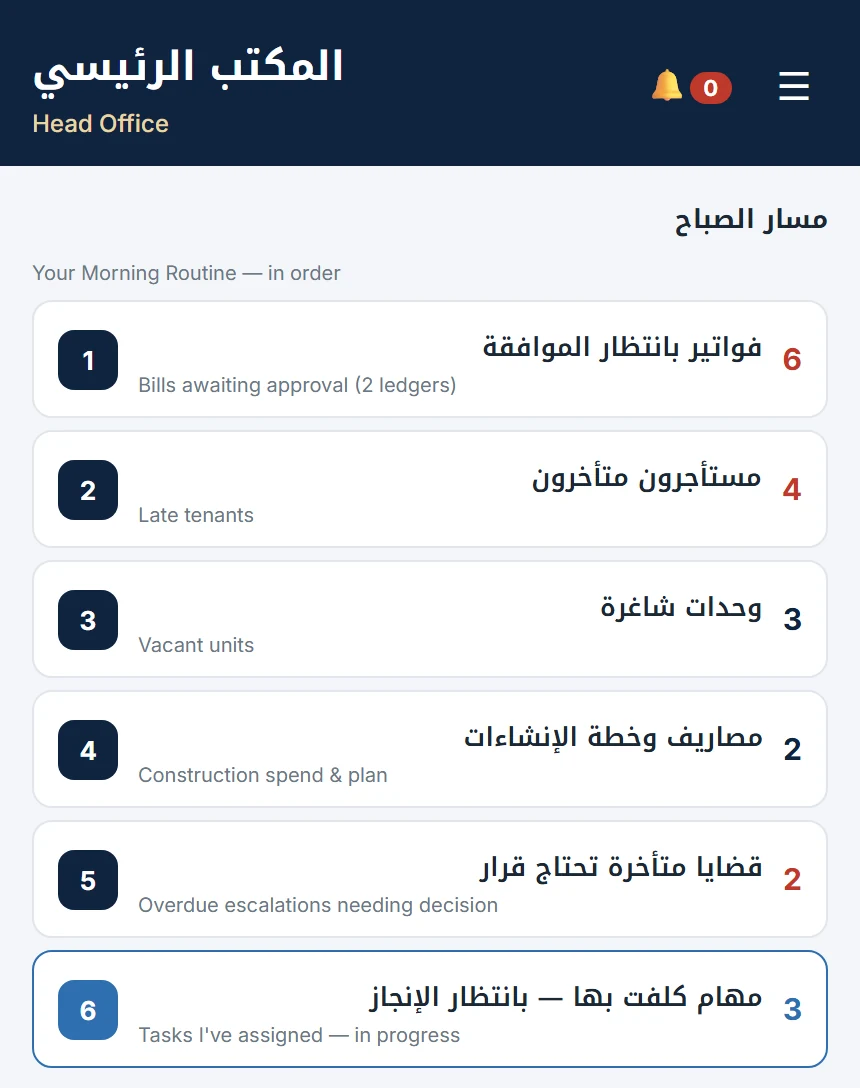
Your morning routine, in order.

The owner opens one screen and sees exactly what needs a decision today — then works down the list.
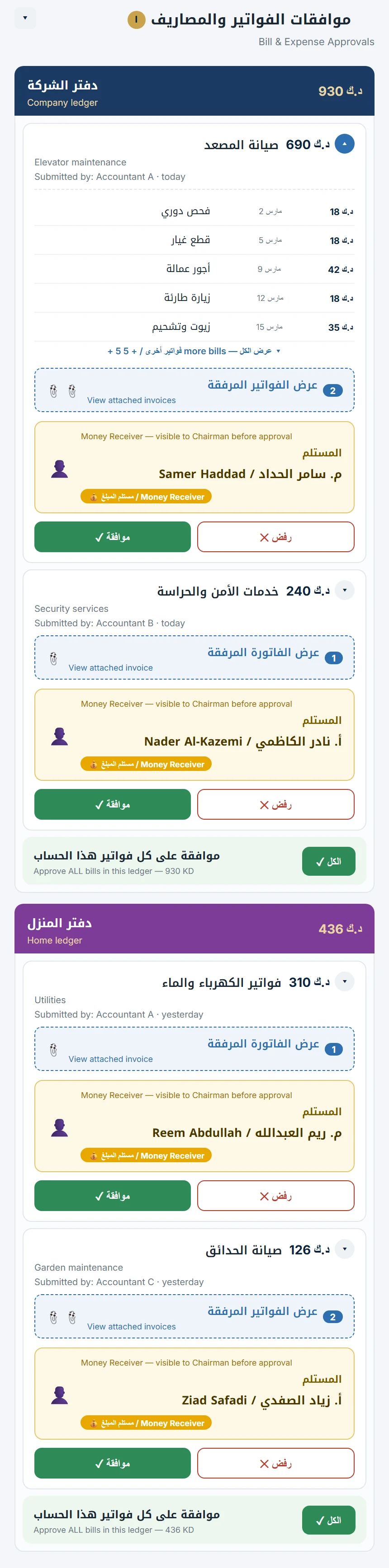
  • Bills and expenses awaiting approval, grouped by ledger — approve or reject each one, or a whole ledger at once.
  • See who will receive the money before you approve.
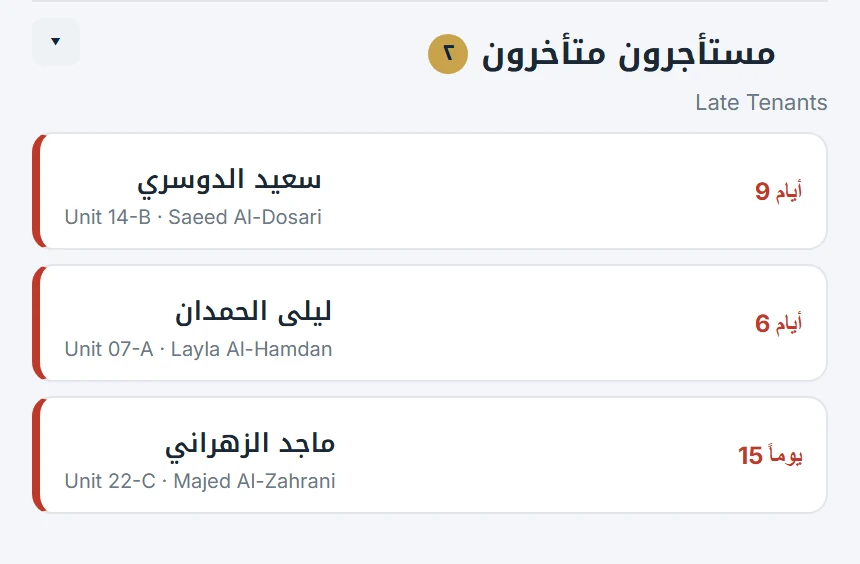
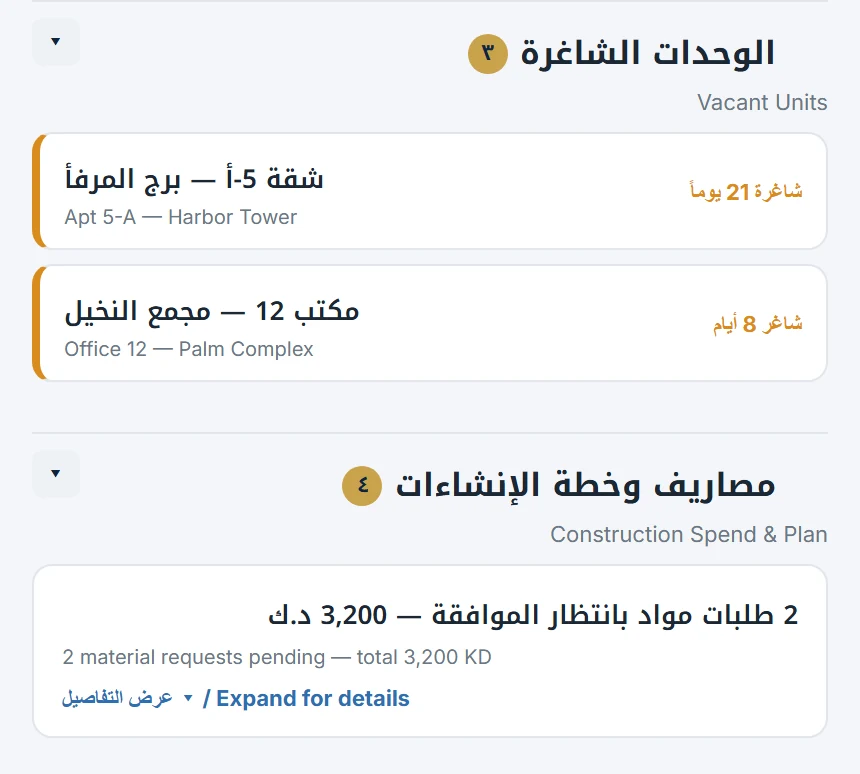
  • Late tenants, vacant units and construction spending, summarised.
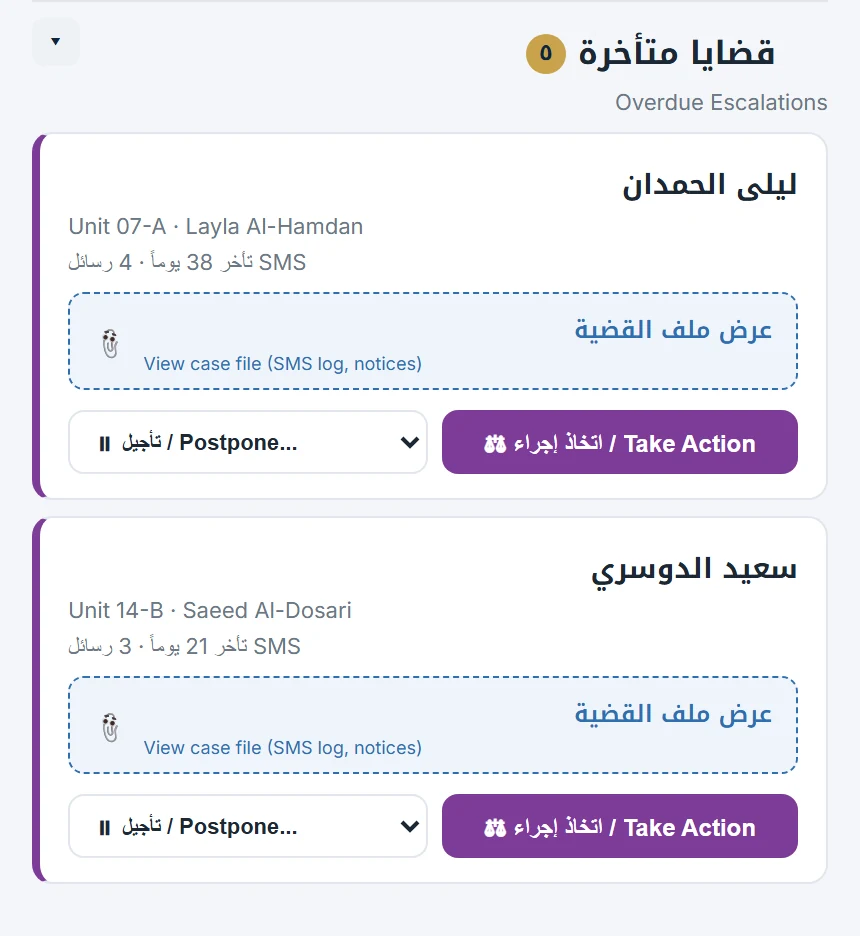
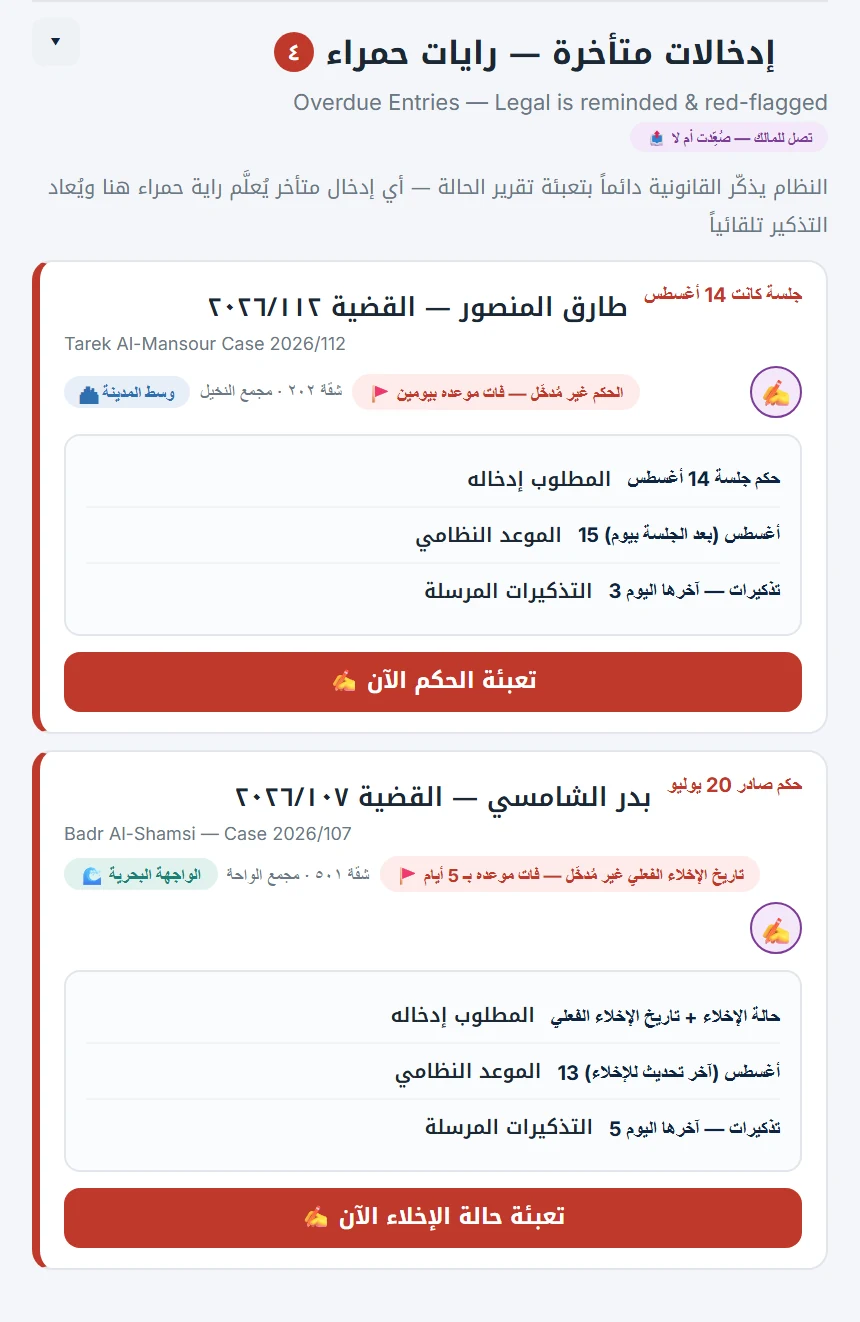
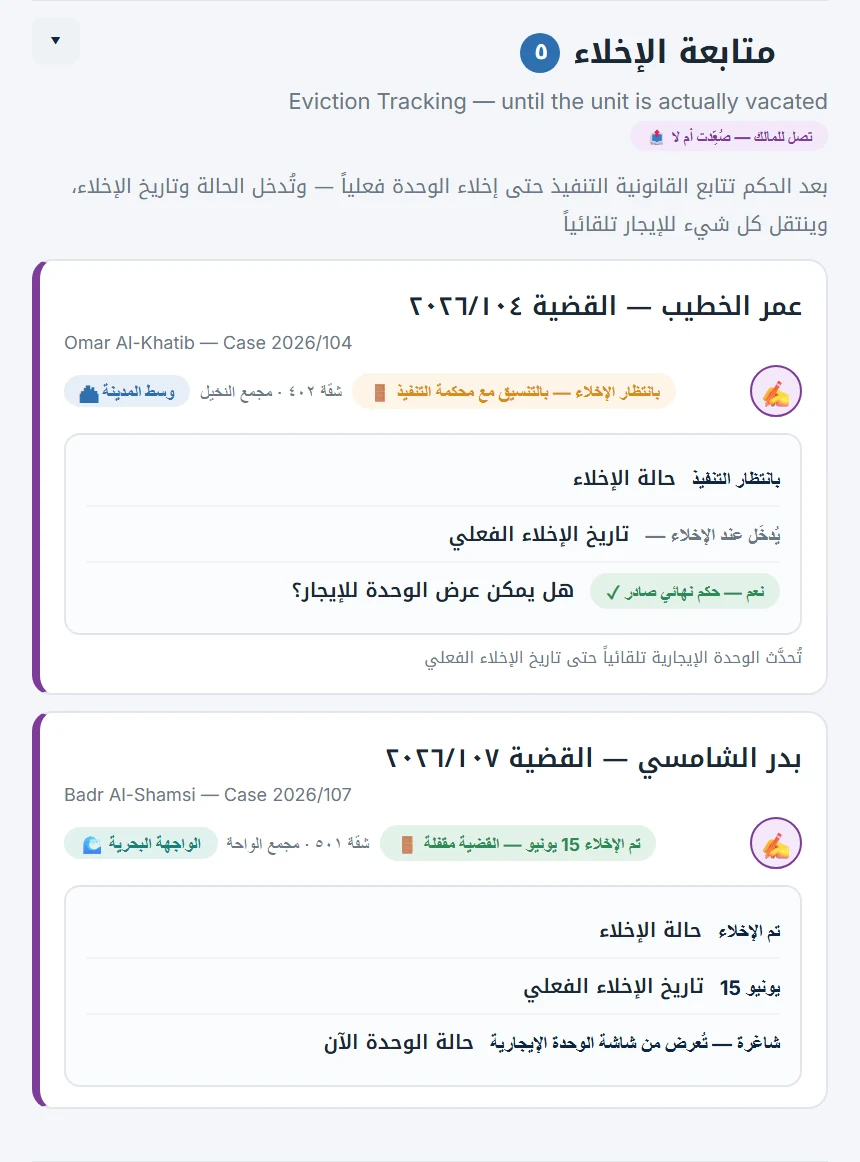
  • Overdue cases that need your decision: postpone, or take action.
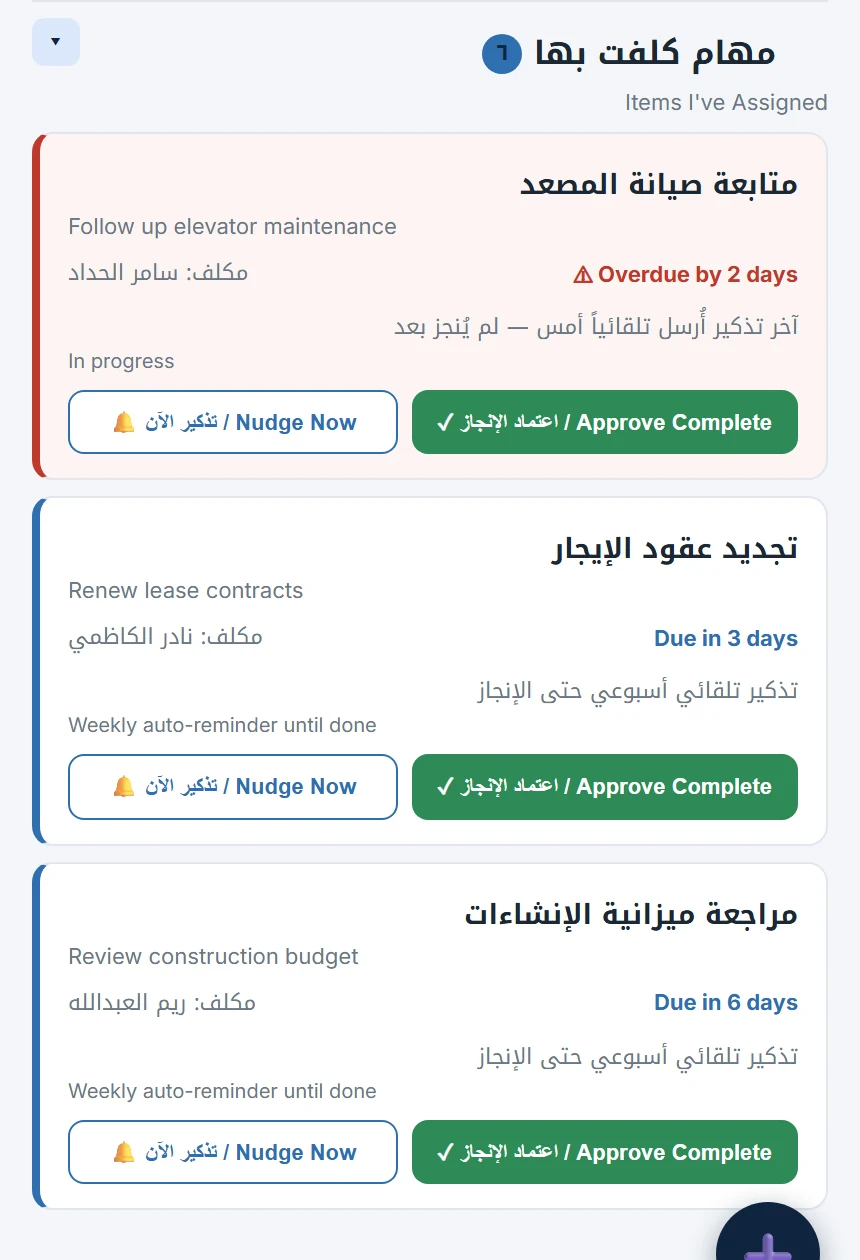
  • Tasks you have assigned, with automatic reminders until they are done.
Scroll sideways · tap a screen to enlarge
Morning routine
Morning routineSix things, in order
Bill & expense approvals
Bill & expense approvalsGrouped by ledger
Late tenants
Late tenantsAt a glance
Vacant units & construction
Vacant units & constructionSpending and plan
Cases needing a decision
Cases needing a decisionPostpone or act
Tasks you assigned
Tasks you assignedAutomatic reminders
ACCOUNTANTS

Prepare, pay and confirm — every bill locked and traced.

A clear path for money going out, with the right person at each step and nothing editable after the fact.
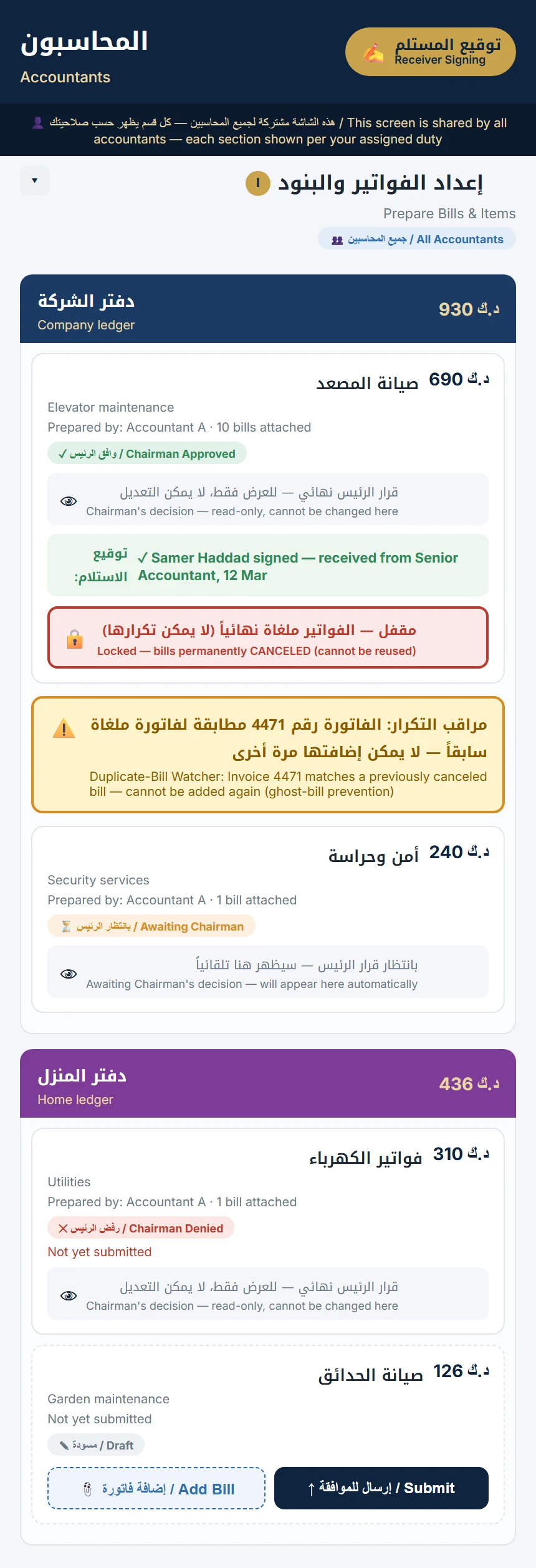
  • Prepare bills and items; the owner's decision shows on each, read-only.
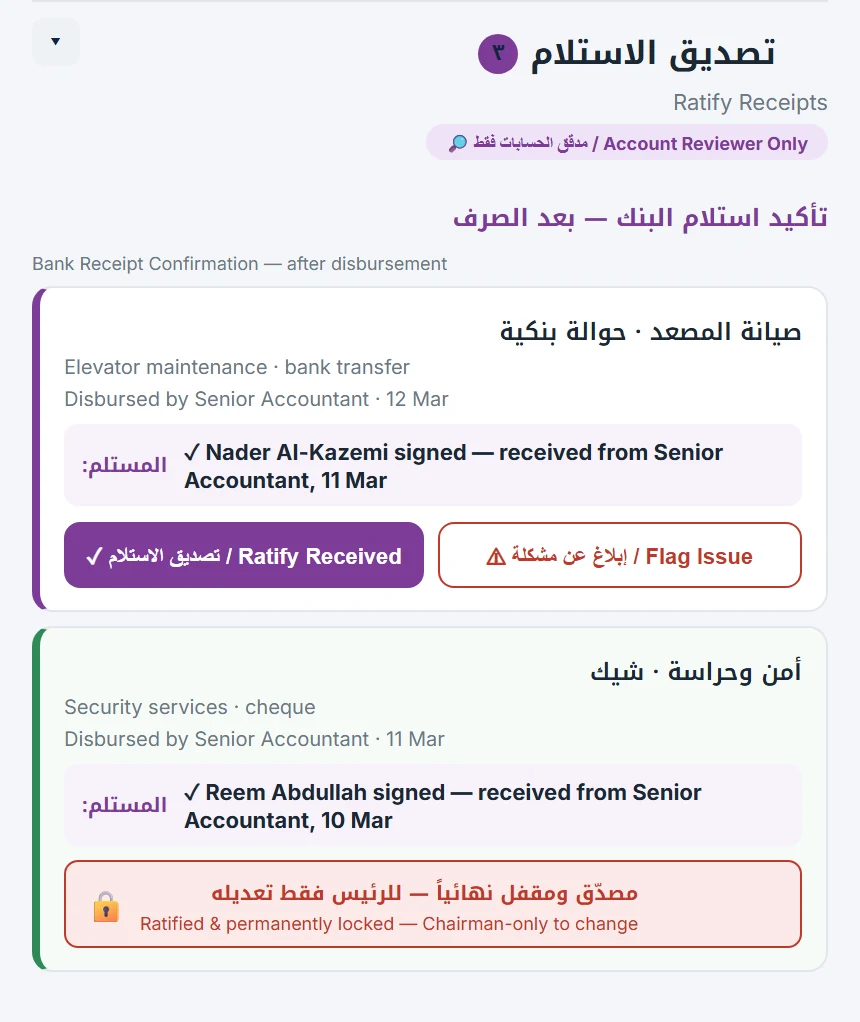
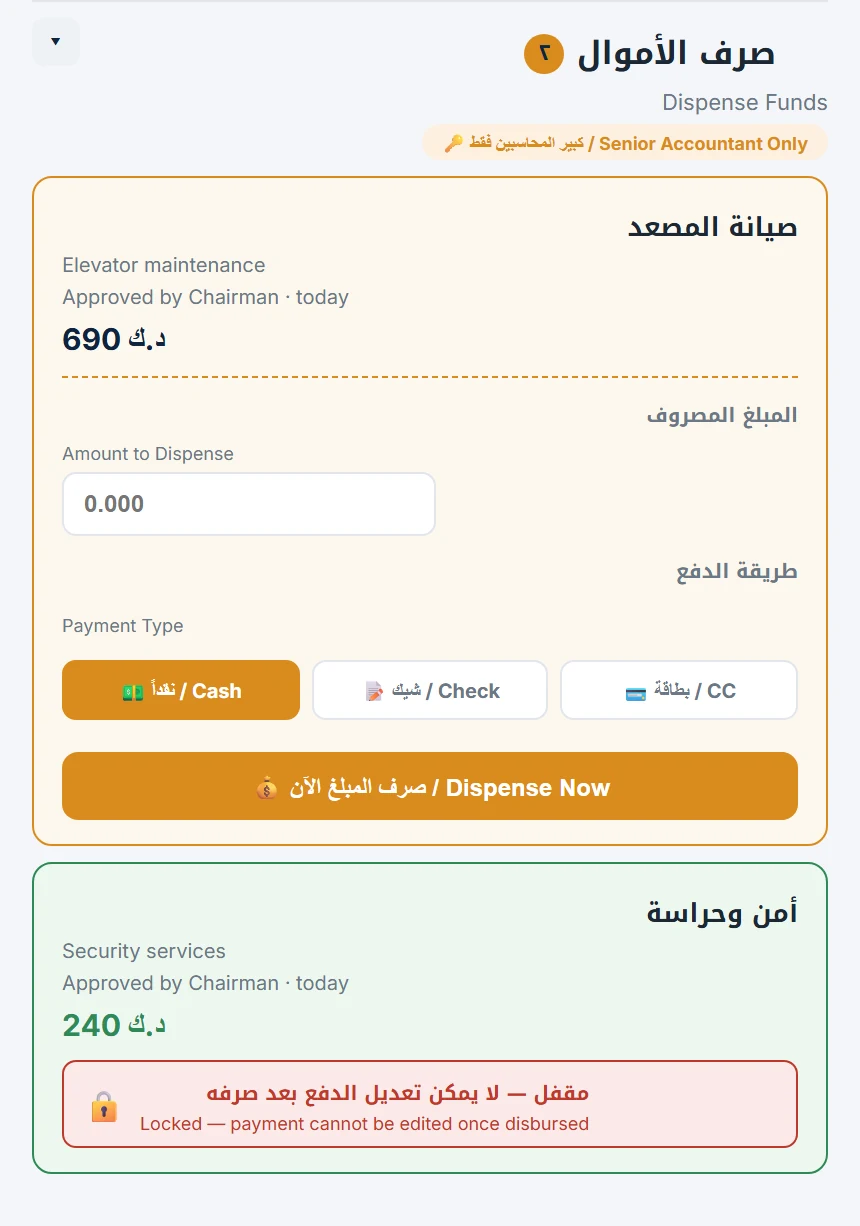
  • Only the senior accountant releases funds — by cash, cheque or card — and the payment locks once disbursed.
  • Only the account reviewer confirms receipt, after the bank confirms.
  • A duplicate-bill watcher stops an invoice that was cancelled before from coming back.
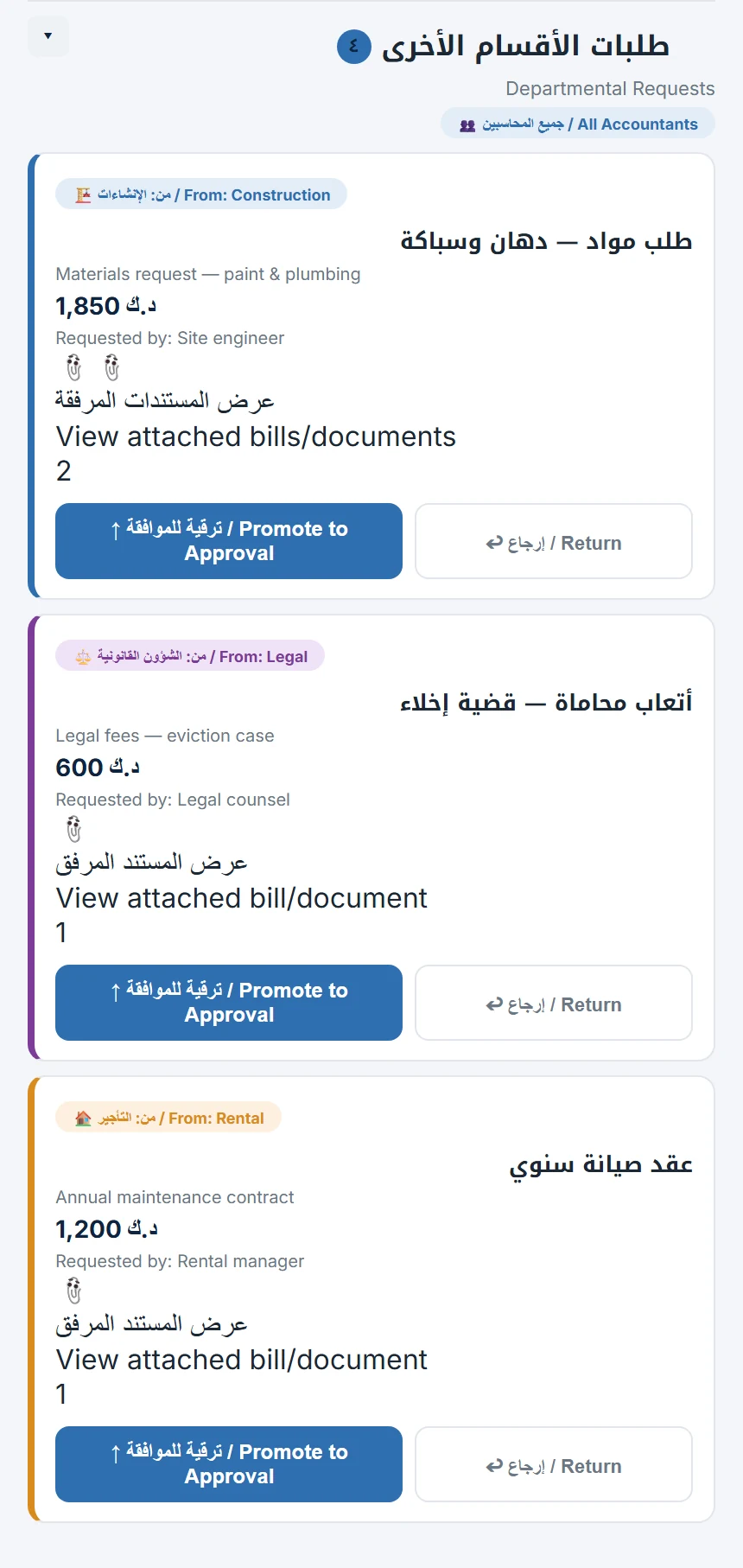
  • Requests from other departments arrive in one place, ready to promote to approval.
Scroll sideways · tap a screen to enlarge
Prepare bills
Prepare billsOwner's decision shown
Dispense funds
Dispense fundsCash, cheque or card
Confirm receipt
Confirm receiptLocked once ratified
Departmental requests
Departmental requestsOne inbox for all
RENTAL

Collection and tenants, at a glance.

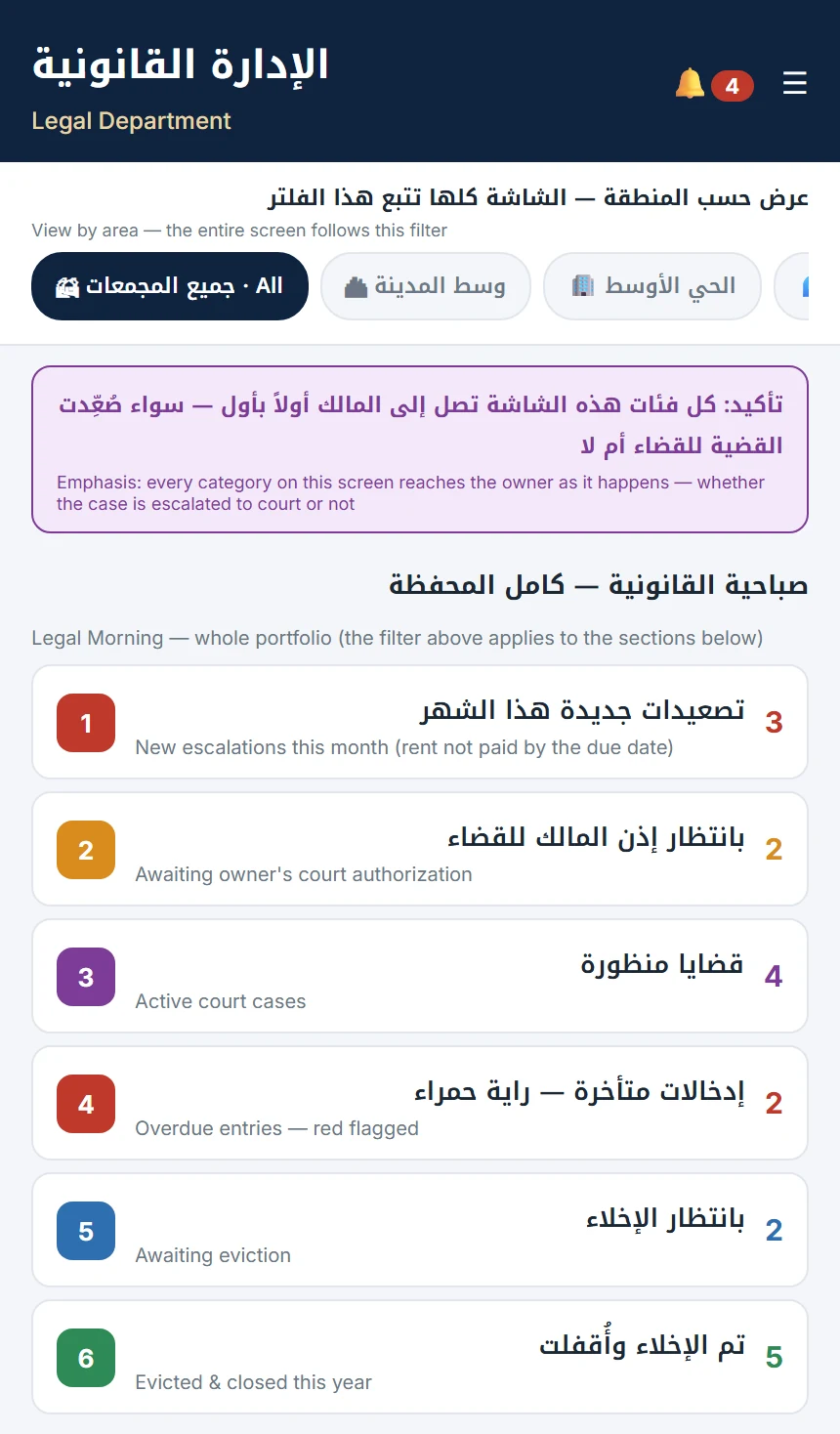
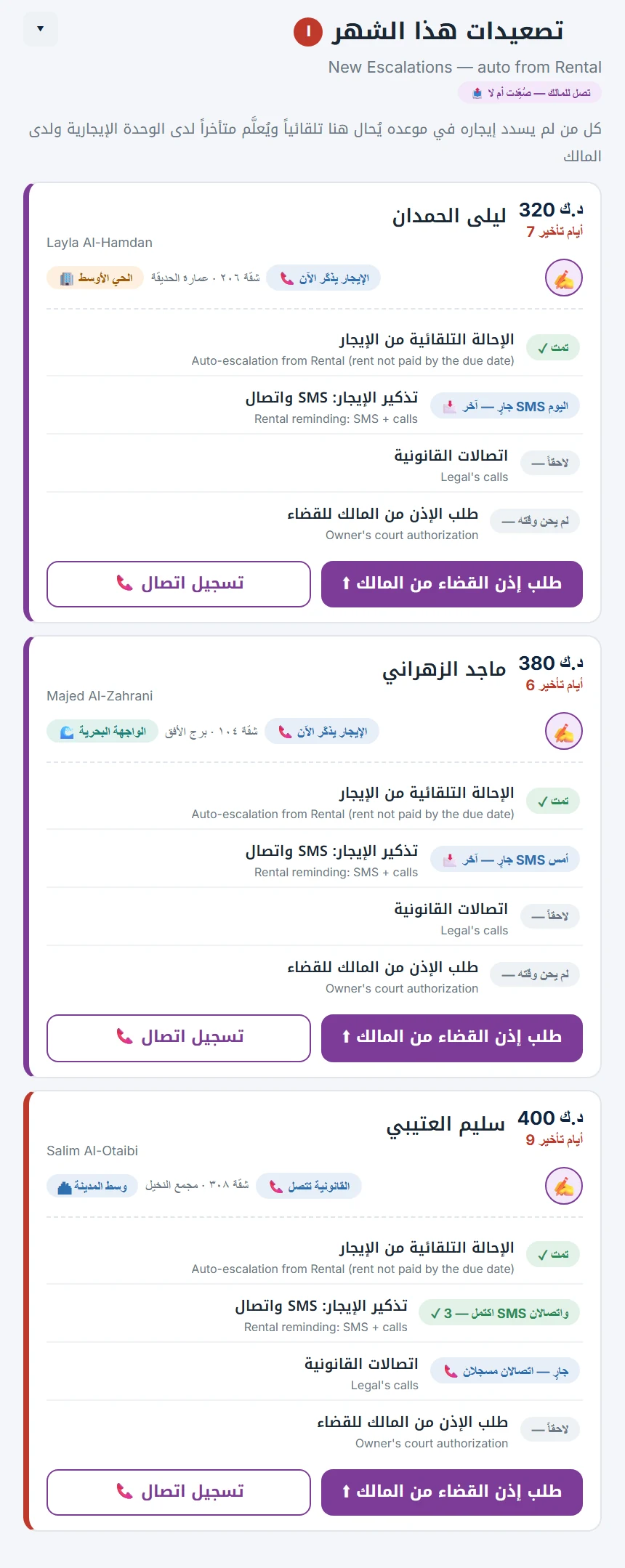
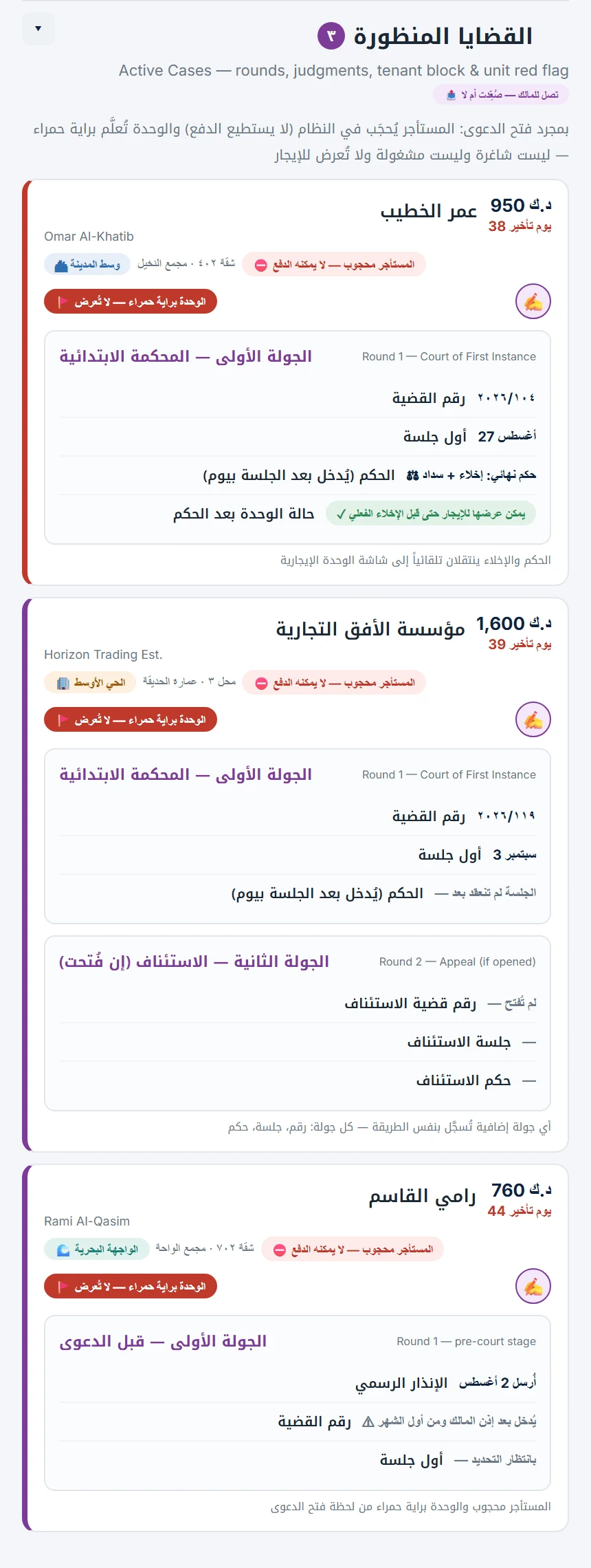
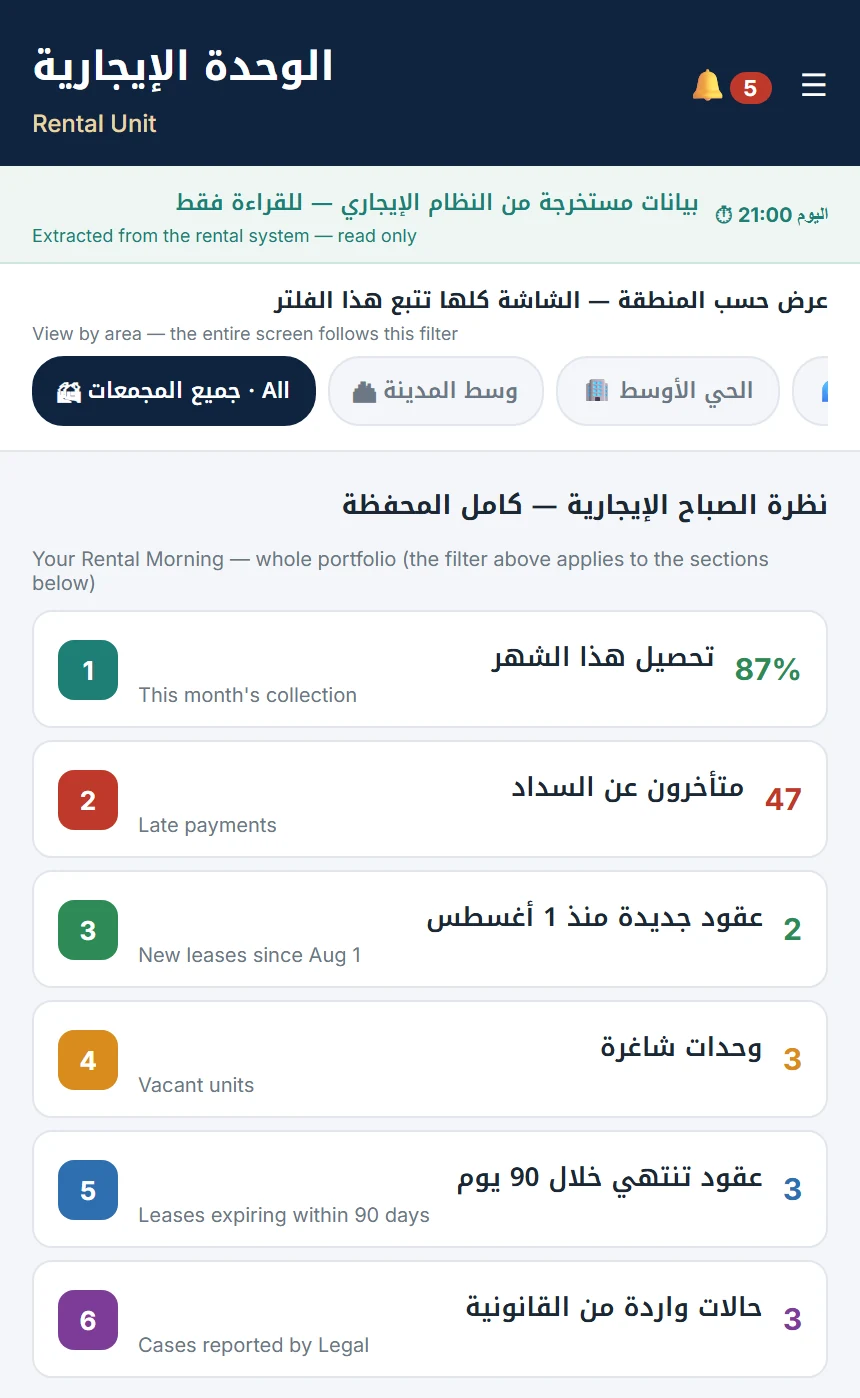
Rental staff see the whole portfolio — and have one power: sending a late tenant on to the next step.
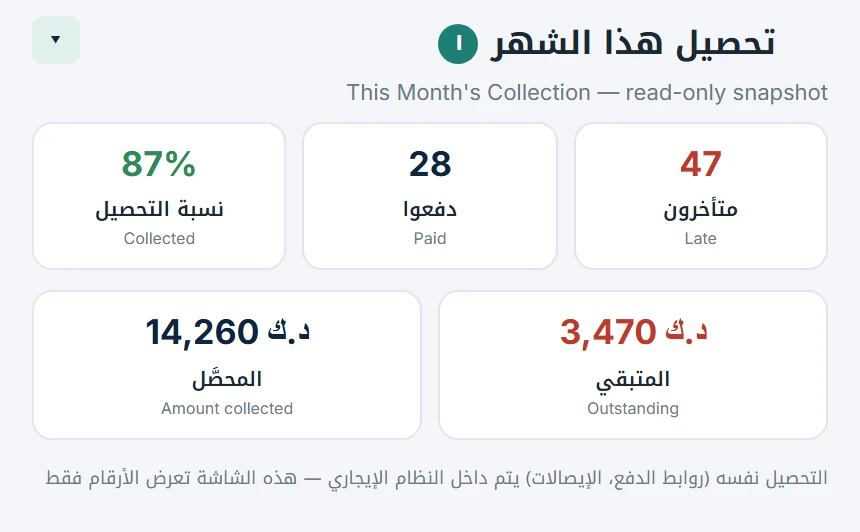
  • This month's collection: how many paid, how many are late, what's collected and what's outstanding.
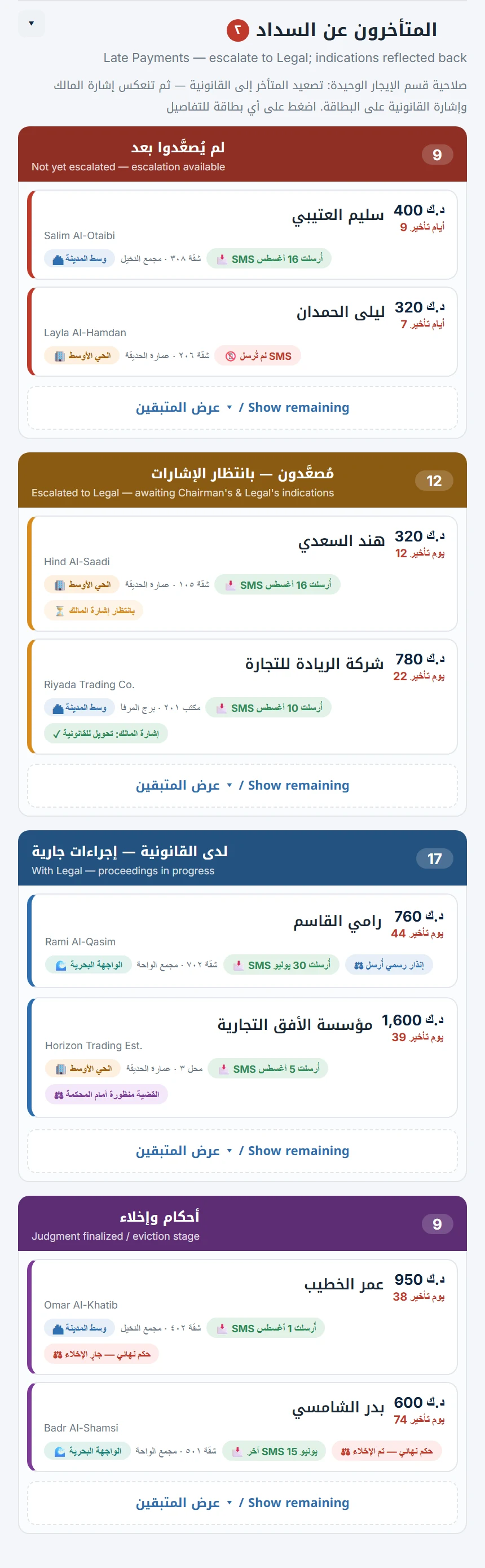
  • Late tenants grouped by stage, so a long list stays easy to read.
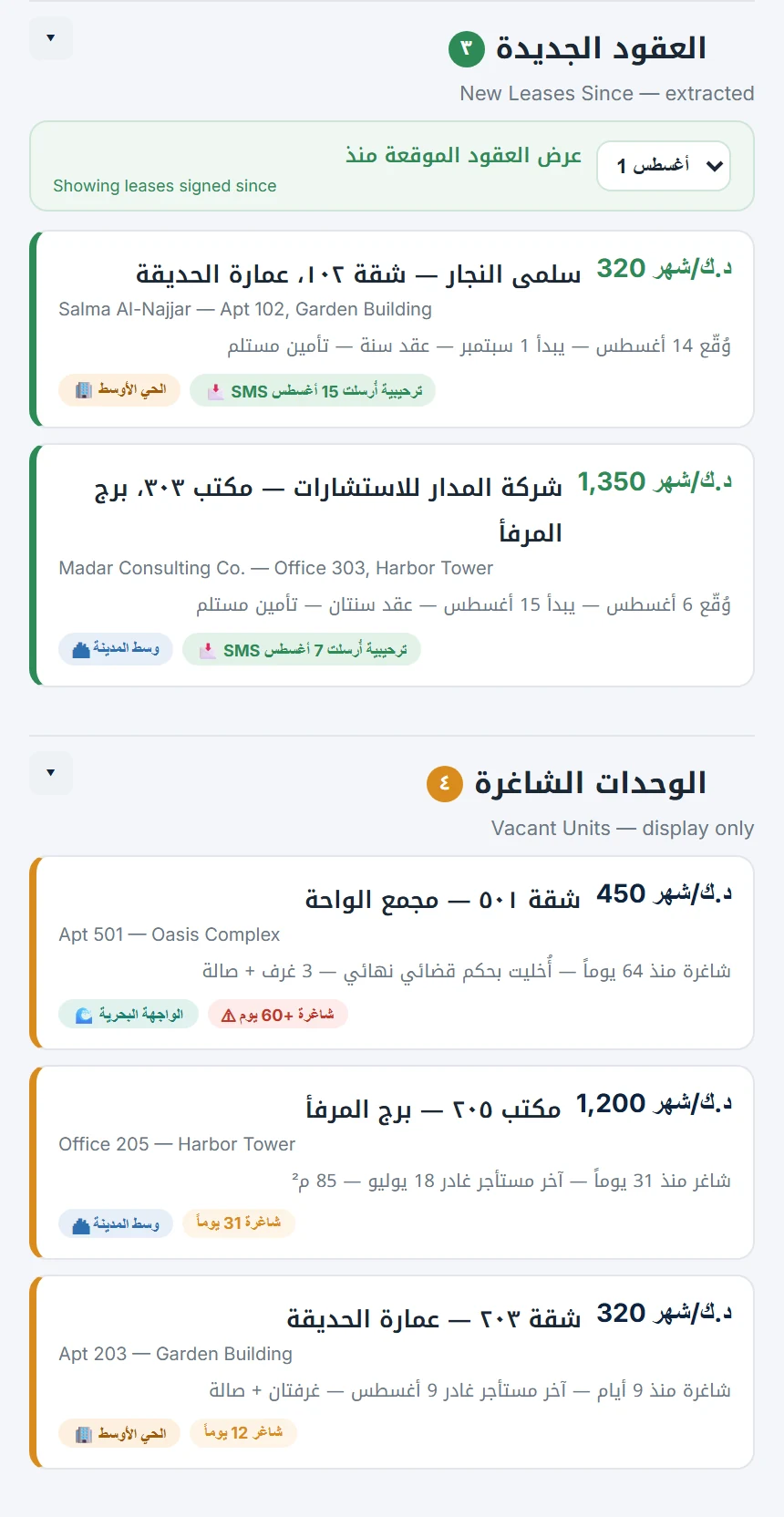
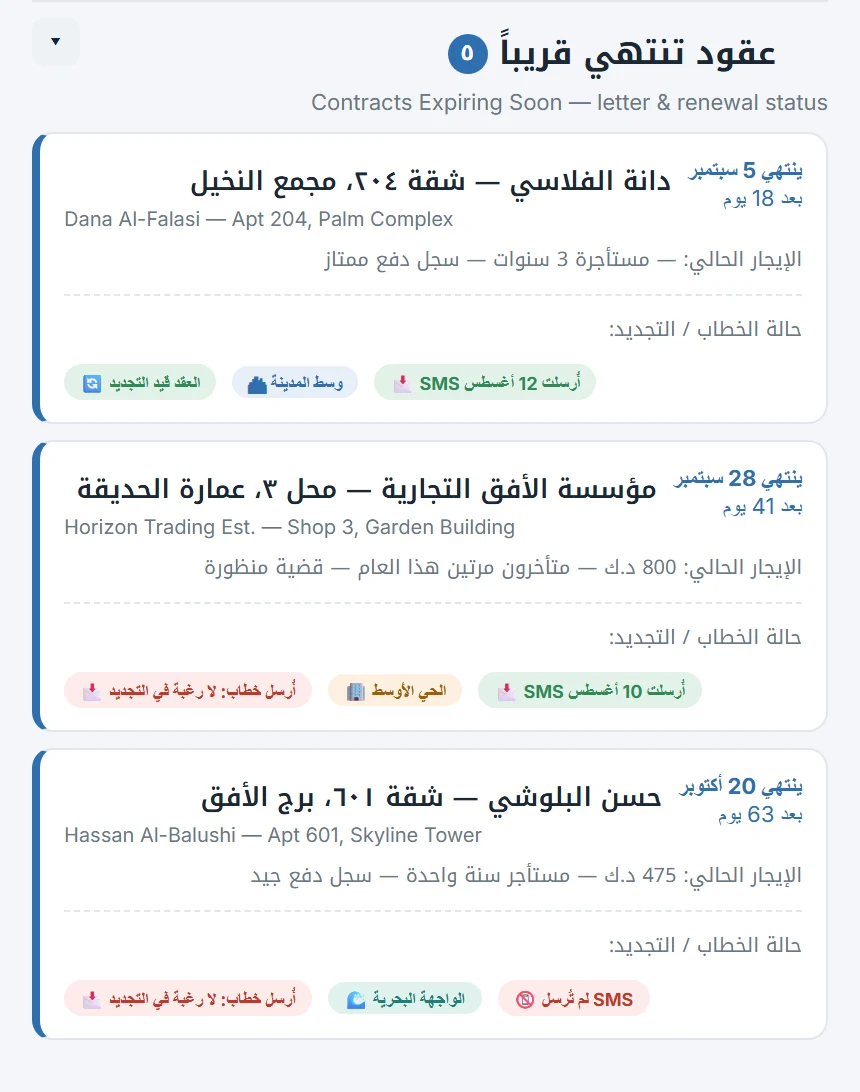
  • New leases, vacant units, and contracts expiring soon with their renewal status.
  • One filter switches the entire screen between buildings or areas.
  • Collection itself — payment links and receipts — runs automatically behind the scenes.
Scroll sideways · tap a screen to enlarge
Rental morning
Rental morningWhole portfolio, filtered by area
This month's collection
This month's collectionPaid, late, outstanding
Late payments
Late paymentsGrouped by stage
Leases & vacancies
Leases & vacanciesNew and available
Leases expiring
Leases expiringWith renewal status
FINAL APPROVAL

One signature closes it. Then it's locked.

The last gate. Every finished entry arrives with its whole chain, so the approver signs with the full picture.
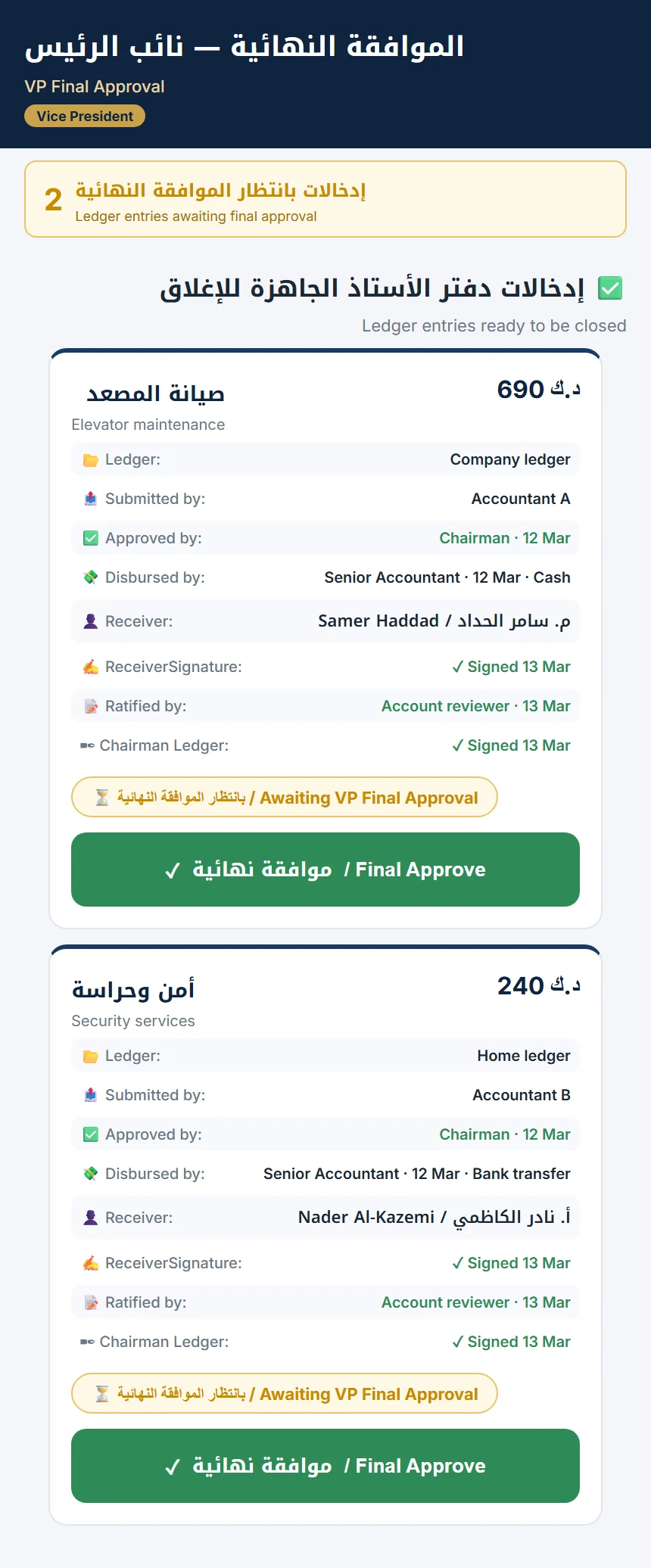
  • Each entry shows its ledger, who submitted it, who approved it, how it was paid, who received it, and who confirmed it.
  • A single approver's signature closes the cycle.
  • Once signed, the entry is locked.
Scroll sideways · tap a screen to enlarge
Final approval
Final approvalThe whole chain on one card
On every device

Arabic and English. On your phone, like an app.

The whole system works in Arabic and English, and installs on a phone's home screen — so every role can work from wherever they are.

Want to see it with your data?

We'll walk you through Advanced Rent for your own portfolio.

Request a demo →